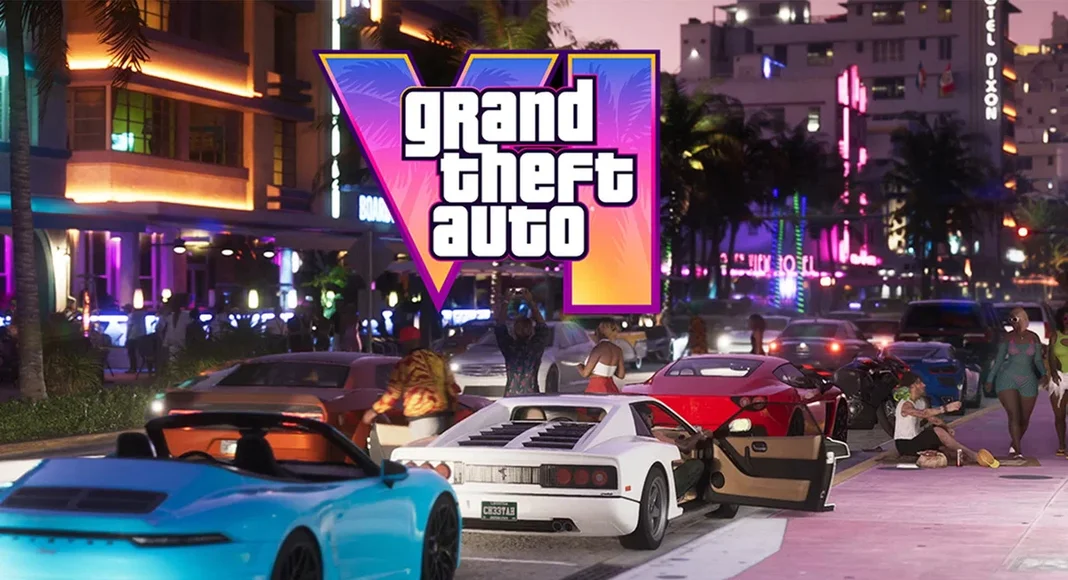
It’s finally real — well, almost. If you pre-ordered Grand Theft Auto VI, your console is about to get very busy. Rockstar has confirmed that the GTA 6 pre-load opens on Tuesday, November 10, nine days before the game launches on November 19. And yes, the file is as enormous as everyone feared: up to 212GB, depending on your console. That makes it the biggest Rockstar install ever, and it means the smartest thing you can do this week isn’t grinding for in-game cash — it’s clearing space on your hard drive.
Here’s the good news: nine days is plenty of time to download 212GB, even on a modest connection, as long as you start on time and your console is set to grab the files on its own. This guide covers everything that matters — the exact start times on PS5 and Xbox, how much room you really need, what changes if you bought a physical copy, and the checklist to run through before November 10.
When Does GTA 6 Pre-Load Start?
Rockstar announced the pre-load date in a Newswire post on November 3, and it’s actually earlier than first planned. When pre-orders opened, the date on Rockstar’s support pages was November 12. The new date is November 10 — two days sooner, and nine days before launch. A full breakdown of the GTA 6 pre-load start times by time zone confirms the same schedule.
But the start time depends on your console, and the two work differently:
- PlayStation 5: pre-loading begins at midnight local time on November 10, wherever you are. New Zealand players get in first, and it rolls around the world with the clock.
- Xbox Series X|S: one single worldwide start time — 12:00 a.m. GMT on November 10. In the US, that’s 4 p.m. Pacific and 7 p.m. Eastern on November 9, so American Xbox players can actually start downloading the evening before.
One thing to be clear about: pre-loading is not playing early. The files land on your console up to nine days ahead of time, but they stay locked until the game unlocks at midnight local time on November 19. Think of it as the world’s most exciting 212GB of homework, done early.
One more detail: the pre-load is only for players who pre-ordered the digital version. If you haven’t yet, there’s still time — the Standard Edition is listed at $79.99 on the PlayStation Store, and every pre-order or purchase before November 20 also includes the Vintage Vice City Pack, according to Rockstar.

How Big Is the GTA 6 Download?
The short answer: up to 212GB. That’s Rockstar’s own figure, published with the pre-load schedule, and Sony’s own launch-preparation guide puts it just as bluntly — PS5 owners should clear a minimum of 212GB before the pre-download begins. A complete GTA 6 preload guide walks through the same storage numbers and what they mean in practice.
That “up to” wording matters. Rockstar hasn’t published a separate size for each console, so the PS5 and Xbox builds may not be exactly the same size. Plan for the full 212GB on either one and you won’t be caught short.
For comparison, GTA V Enhanced takes up around 87GB on PS5, and Red Dead Redemption 2 launched at roughly 105GB. GTA 6 is more than double either of them — the price of a map far bigger than anything Rockstar has built before, stretching from the neon streets of Vice City out to swamps, beaches and small towns.
Here’s what 212GB looks like on each console, based on usable storage figures reported by outlets covering the launch:
- Original PS5 (825GB): about 667GB usable, so GTA 6 takes roughly a third of the drive.
- PS5 Slim (1TB): about 822GB usable, so the game takes roughly a quarter.
- Xbox Series X (1TB): about 802GB usable, again roughly a quarter.
- Xbox Series S (512GB): about 364GB usable — GTA 6 eats more than half of it.
Series S owners have it toughest. If your little white box is already full, this is the week to make some hard choices. And whatever console you own, leave a buffer: 212GB is the pre-load figure, not a promise about the final install size once a day-one patch lands. Rockstar hasn’t announced one, so any patch size you see is a guess — but leaving an extra 30 to 40GB free is the sensible move.
How Long Will the GTA 6 Pre-Load Take to Download?
212GB is 1,696 gigabits, so the download time depends entirely on your connection. As a rough guide, at a steady 100 Mbps you’re looking at around four and a half hours. At 500 Mbps, it’s closer to an hour. On a full gigabit connection, roughly half an hour, if everything goes perfectly.
Most of us don’t get perfect speeds at 8 p.m., which is exactly why nine days of pre-load is such a gift. Start it on November 10 and it can trickle along in the background. Leave it for the night of November 18 and you’re in for a long wait — and possibly a launch night spent watching a progress bar instead of playing.

What About Physical Copies of GTA 6?
If you bought a boxed copy, your timeline is slightly different — and this is the part that catches people out. The physical edition of GTA 6 does not contain a disc. Rockstar’s store is explicit: a disc will not be included in the box. Inside is a download code.
Those code-in-box copies reach retailers from November 12, two days after the digital pre-load opens. From that date you can redeem the code and start the same 212GB download. You can’t install anything from a disc to save bandwidth, and you can’t lend the box to a friend the old way — plan for the full download either way.
If you buy physical on launch day itself, be ready to download the whole game on November 19 along with everyone else who waited. Pre-ordering digital, or grabbing the box on the 12th, is the way to actually play on launch night.
How to Make Sure Your GTA 6 Pre-Load Starts on Its Own
The easiest way to miss the pre-load is to assume your console will handle it. It probably will — but check now, while you can still fix it.
- Pre-order the digital version on the PlayStation Store or Xbox Store if you haven’t already. No pre-order, no pre-load.
- Free up at least 212GB — ideally 230 to 250GB to leave room for a patch. On PS5, check Settings, then Storage, then Console Storage. On Xbox, go to My games & apps, then Manage, then Storage devices. Delete finished games, or move them to an external drive.
- Turn on automatic downloads. On PS5, that’s Settings > Saved Data and Game/App Settings > Automatic Updates, with Auto-Download switched on. On Xbox, enable automatic updates in Settings so the download kicks off by itself.
- Leave the console in rest mode from the night of November 9, with an internet connection. A console that’s fully off can’t download anything.
- Physical buyers: redeem your code as soon as your copy arrives on or after November 12.
Do those five things and the game should simply be there, waiting, when November 19 arrives.

What to Know Before GTA 6 Launch Day
November 19 is the date, and it’s been a long road to get here. GTA 6 arrives thirteen years after GTA V, on PlayStation 5 and Xbox Series X|S — Rockstar hasn’t announced a PC version. The game follows two leads, Jason Duval and Lucia Caminos, through the state of Leonida, and the 26-minute gameplay showcase Rockstar premiered on Netflix back in August — captured entirely on a base PS5 — gave the world its longest look yet at Vice City.
If you want the full picture of what’s in the game, our GTA VI: Everything We Know So Far guide pulls together the story, the map and the characters in one place. And while you wait, the other huge launch of the season is still going strong — Phantom Blade Zero topped Steam after selling 4 million copies in its first three days — and if you’re weighing up what to play this month, our Modern Warfare 4 worth-playing guide is worth a read too.
The bottom line is simple: November 10 is the date, 212GB is the number, and this weekend is the time to clear the space. Do it now, and when midnight strikes on November 19, you’ll be in Vice City instead of staring at a download bar.